
SSO Dashboard Security Features: आसान गाइड और टिप्स
Single Sign-On (SSO) dashboards एक जगह से multiple applications का access manage करने का tool हैं। यह users के लिए login आसान बनाता है और systems को secure रखता है — लेकिन केवल तभी अगर dashboard strong security features के साथ configure हो।
SSO Dashboard क्या है?
SSO dashboard एक तरह का control center है, जहाँ से user authentication manage की जाती है। Users सिर्फ एक बार login करते हैं, और SSO dashboard handle करता है कि वे सभी connected applications में बिना बार-बार password डालें access कर सकें।
इसे एक security control room की तरह सोचें, जहाँ admin देख सकते हैं कि कौन login कर रहा है, किस device से, और apps को कैसे access कर रहा है। Proper security यहाँ unauthorized access को रोकता है और data safe रखता है।
SSO Security क्यों जरूरी है?
SSO convenience provide करता है, लेकिन यह एक single point of risk भी बन जाता है। अगर कोई attacker SSO account compromise कर ले, तो वह सभी linked applications तक access पा सकता है। इसलिए dashboard security बहुत जरूरी है।
Top SSO Dashboard Security Features
नीचे वे सबसे महत्वपूर्ण security features दिए गए हैं, जो आपके SSO dashboard में होने चाहिए:
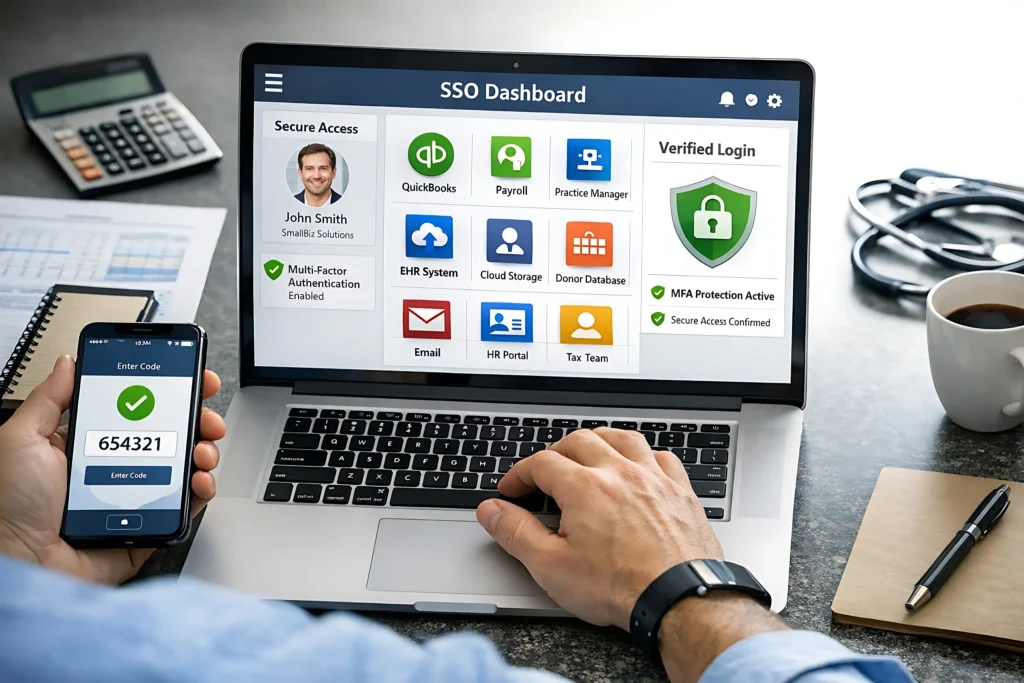
Multi-Factor Authentication (MFA)
क्या है:
MFA users से password के बाद extra verification मांगता है, जैसे:
क्यों जरूरी है:
अगर password चोरी हो भी जाए, तो MFA unauthorized access को रोकता है। यह सबसे effective तरीका है real-world attacks को block करने का।Tip: Authenticator apps या hardware keys use करें क्योंकि SMS codes easy hack हो सकते हैं।
Strong Password Policies
Even SSO में, password security essential है। Dashboard को enforce करना चाहिए:
Tip: Users को encourage करें कि password manager use करें ताकि strong passwords generate और safely store हो सकें।
Role-Based Access Control (RBAC)
हर user को सभी apps की जरूरत नहीं होती। RBAC allow करता है:
क्यों जरूरी: यह risk reduce करता है क्योंकि users सिर्फ वही access कर पाएंगे जिसकी उन्हें जरूरत है।
Audit Logs & Monitoring
Secure dashboard track करता है:
क्यों जरूरी: Audit logs suspicious activity detect करने में मदद करती हैं, जैसे unusual location या odd time logins। Early detection बड़ा damage रोक सकता है।Tip: Logs regularly review करें और unusual activity के लिए alerts setup करें।
Session Timeout & Token Management
Logged-in sessions हमेशा indefinite नहीं रहनी चाहिए। Good dashboards allow करते हैं:
यह hijacked sessions से potential damage limit करता है।
Device & Location Awareness
Modern dashboards detect कर सकते हैं:
अगर कुछ suspicious लगे, system फिर से MFA मांग सकता है या access block कर सकता है।
Automated User Provisioning & Deprovisioning
Employees join, role change या leave करने पर access automatically adjust होना चाहिए:
यह पुराने accounts को attack points बनने से रोकता है।
Compliance & Reporting
SSO dashboards tools offer करते हैं जो regulations जैसे GDPR या SOC 2 follow करने में मदद करते हैं:
यह especially useful है organizations के लिए जो compliance demonstrate करना चाहते हैं।
Common Pitfalls to Avoid
Even strong dashboard fail कर सकता है अगर:
इन issues को fix करना कई common attacks को रोक देता है।
Practical Tips for Strong SSO Security
FAQs
Final Words
SSO dashboard एक powerful tool है जो user convenience और enterprise security दोनों को enhance करता है। इसकी true strength depend करती है proper configuration, monitoring और best practices पर। अगर आप अपने dashboard में MFA, strong password policies, role-based access, audit logging, session management, device awareness और automated provisioning enable करते हैं, तो आप unauthorized access रोक सकते हैं, suspicious activity जल्दी detect कर सकते हैं, apps का access efficiently control कर सकते हैं और regulatory compliance को भी support कर सकते हैं।
ध्यान रखें कि SSO security “set and forget” नहीं होती; regular updates, logs review, user training और zero-trust principles को follow करना essential है।आज अपने SSO dashboard को secure करने में investment करना future में बड़े security breaches से बचने का सबसे practical तरीका है।
Tip: आज अपने SSO dashboard को secure करने में समय लगाएं, ताकि भविष्य में बड़े breaches से बचा जा सके।


